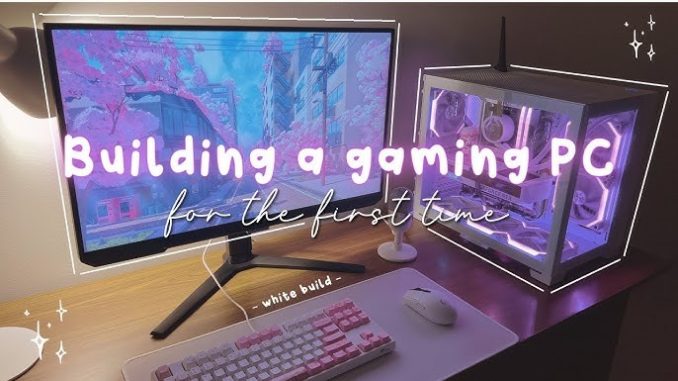
Building a PC for the first time can feel like a daunting project, especially when you see the sheer number of components and technical jargon involved. Yet, once you break the process down, it is less about advanced engineering and more about understanding how each piece of the puzzle fits together. At its core, assembling a computer is about matching compatible parts, connecting them properly, and configuring the system to run smoothly. For many first-timers, the experience is not only empowering but also cost-effective, allowing them to create a machine tailored to their needs rather than settling for a prebuilt model.
The journey usually begins with identifying what you want the PC to do. Someone building a computer for work may focus on reliability, quiet operation, and multitasking, while a gaming enthusiast might prioritize a powerful graphics card and high refresh-rate monitor support. By defining your goals upfront, you create a roadmap that guides every decision, from which processor to buy to how much storage space you will need. Without this clarity, it is easy to overspend on flashy components or end up with a system that does not quite fit your needs.
Once you know your priorities, the next step is choosing components. Every PC revolves around the processor and motherboard, which must be compatible with each other. The processor, or CPU, handles the bulk of the computing tasks, while the motherboard acts as the foundation that connects everything together. Then comes memory, or RAM, which influences how smoothly your system can handle multiple tasks. Storage has evolved from traditional hard drives to faster solid-state drives, and many builders now use a combination of both to balance speed and capacity. The graphics card, or GPU, is essential for gaming, video editing, and design work, while the power supply ensures everything receives consistent energy. Finally, the case not only houses all these parts but also affects cooling and aesthetics. Choosing these components is a balancing act between performance, budget, and future-proofing, and it is often where beginners spend the most time researching.
The actual assembly process is surprisingly straightforward once you have the right parts. Most modern components are designed with user-friendliness in mind, featuring clear labels, standardized sizes, and intuitive slots. Installing a processor, for example, typically involves lifting a small latch, placing the CPU into the socket with the correct orientation, and locking it down gently. RAM and graphics cards snap into their respective slots with an audible click, while storage drives are secured with screws or tool-free brackets. Cable management, though sometimes tedious, helps ensure airflow and keeps the build looking tidy. With a bit of patience, the process becomes almost like putting together an advanced LEGO set, where every piece has its place.
For first-time builders, one of the most intimidating parts is applying thermal paste and installing the CPU cooler. This step is critical because the processor generates heat, and without proper cooling, performance and lifespan suffer. The good news is that many coolers come with pre-applied thermal paste, simplifying the process. Even if you need to apply it yourself, the principle is simple: a small pea-sized amount spread evenly when the cooler is pressed down. Once the cooler is secured, the rest of the build tends to move quickly, with each connection reinforcing the sense that the system is coming together.
After the hardware is assembled, powering on the machine for the first time is a milestone moment. This initial boot, often referred to as “POST” (Power-On Self-Test), checks that the components are working properly. If the system displays the manufacturer’s logo or allows you to enter the BIOS menu, you know the assembly has been successful. From there, the focus shifts to installing the operating system, drivers, and updates. This stage can feel less exciting than the physical build, but it is crucial for ensuring that the PC functions efficiently. An operating system like Windows or Linux provides the interface, while drivers help the hardware communicate properly with the software.
Building your first PC also comes with the opportunity to learn troubleshooting skills. Occasionally, a machine may not start because of something simple, like a loose cable or incorrectly seated RAM. While these moments can be frustrating, they are also part of the learning curve. Solving these small problems teaches patience and builds confidence, turning what might initially feel like setbacks into valuable lessons. Most builders quickly realize that with methodical checking and a bit of research, most issues can be resolved without professional help.
What makes building a PC especially rewarding is the level of customization it allows. Unlike prebuilt machines, which often come with locked-down configurations, a custom-built PC can evolve with your needs. You can start with a modest setup and upgrade components over time, whether it is adding more RAM, swapping in a better graphics card, or installing a faster storage drive. This flexibility not only extends the lifespan of the computer but also ensures that your investment adapts as your work or hobbies grow.
From a business perspective, learning how to build a PC is also a valuable skill. Many professionals now rely on computers that can handle resource-intensive tasks, from video editing to data analysis. Understanding how to assemble and maintain your own system provides more control over costs and performance. For entrepreneurs, being able to configure computers for employees can save significant money, while also giving them machines optimized for specific tasks.
Ultimately, building a PC for the first time is less about technical expertise and more about curiosity and patience. With the wealth of tutorials, guides, and community forums available today, even beginners with no prior experience can successfully assemble a working system. The process transforms technology from something mysterious into something tangible, giving you a deeper appreciation for the devices we rely on every day. Once you complete your first build, the sense of accomplishment is hard to match—it is not just about having a powerful new machine but about knowing that you created it with your own hands.